Run every site
from one place.
Attendance, materials, and approvals for every project, in software built for Indian construction.
Built for everyone on the project, not just the office
Four roles, one source of truth. Each person sees the work that needs their decision.
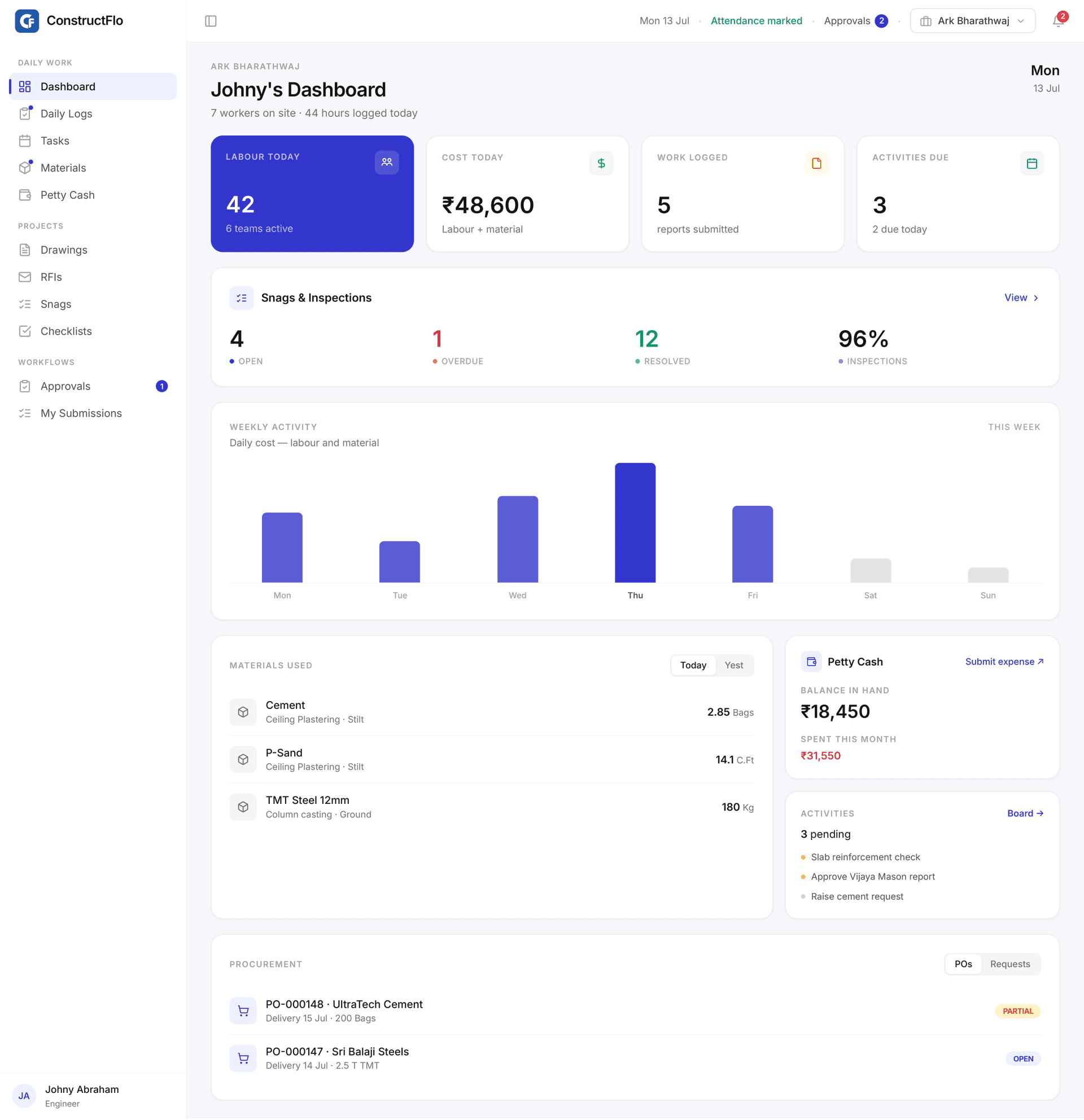
Mark attendance with GPS, log daily work with photos, and record material consumption from the phone.
- Geofenced attendance by labour team and shift
- Daily work reports with progress photos
- Raise material requests from site
Attendance and daily reports that hold up to audit
The field logs the truth once. The office never re-keys it.
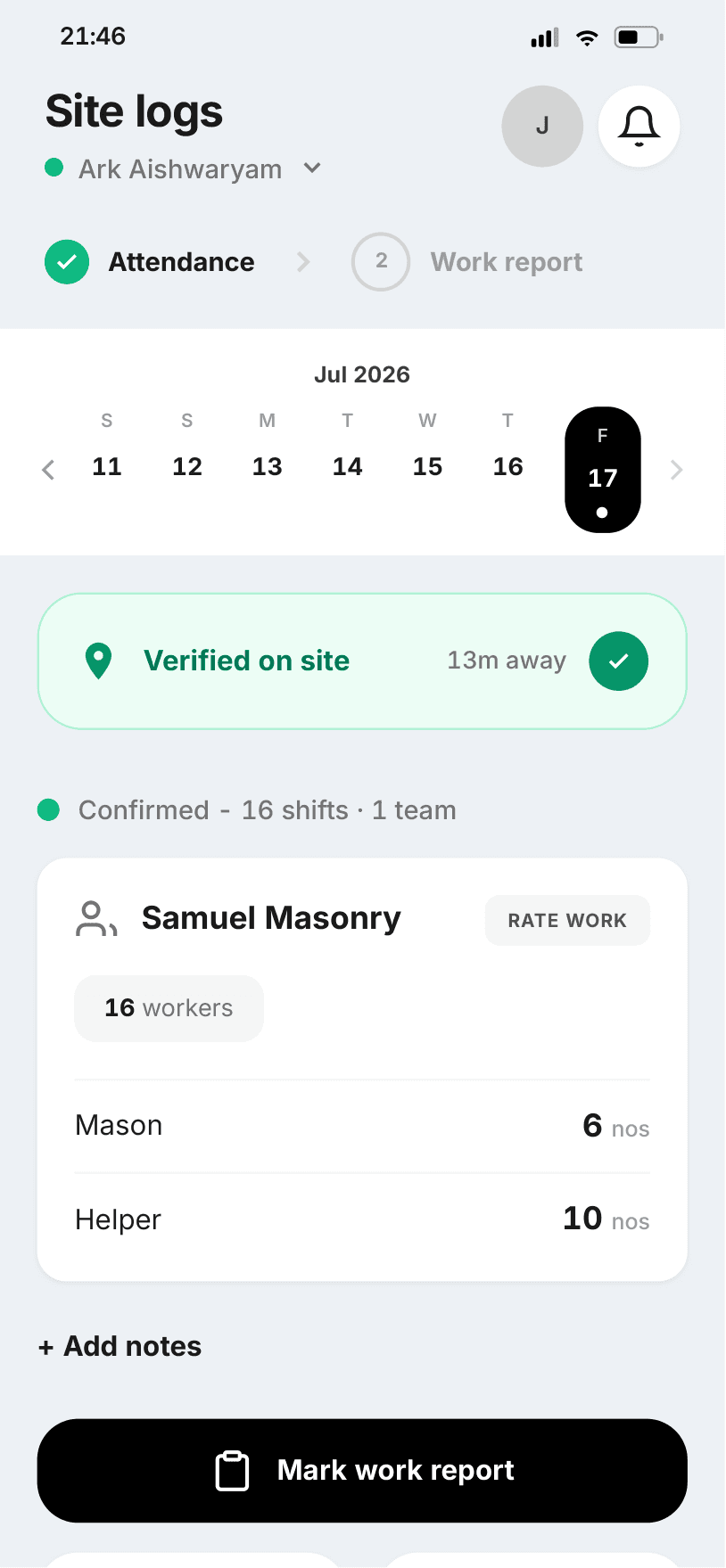
Workers get marked present only when they are on site
Engineers must be inside the site boundary to mark attendance. A verified badge shows the distance from site, and counts are split by labour team, designation, and shift.
- Verified status badge with live distance from site
- Morning, regular, and night shift counts per team
- Weekly attendance consolidated across all dates
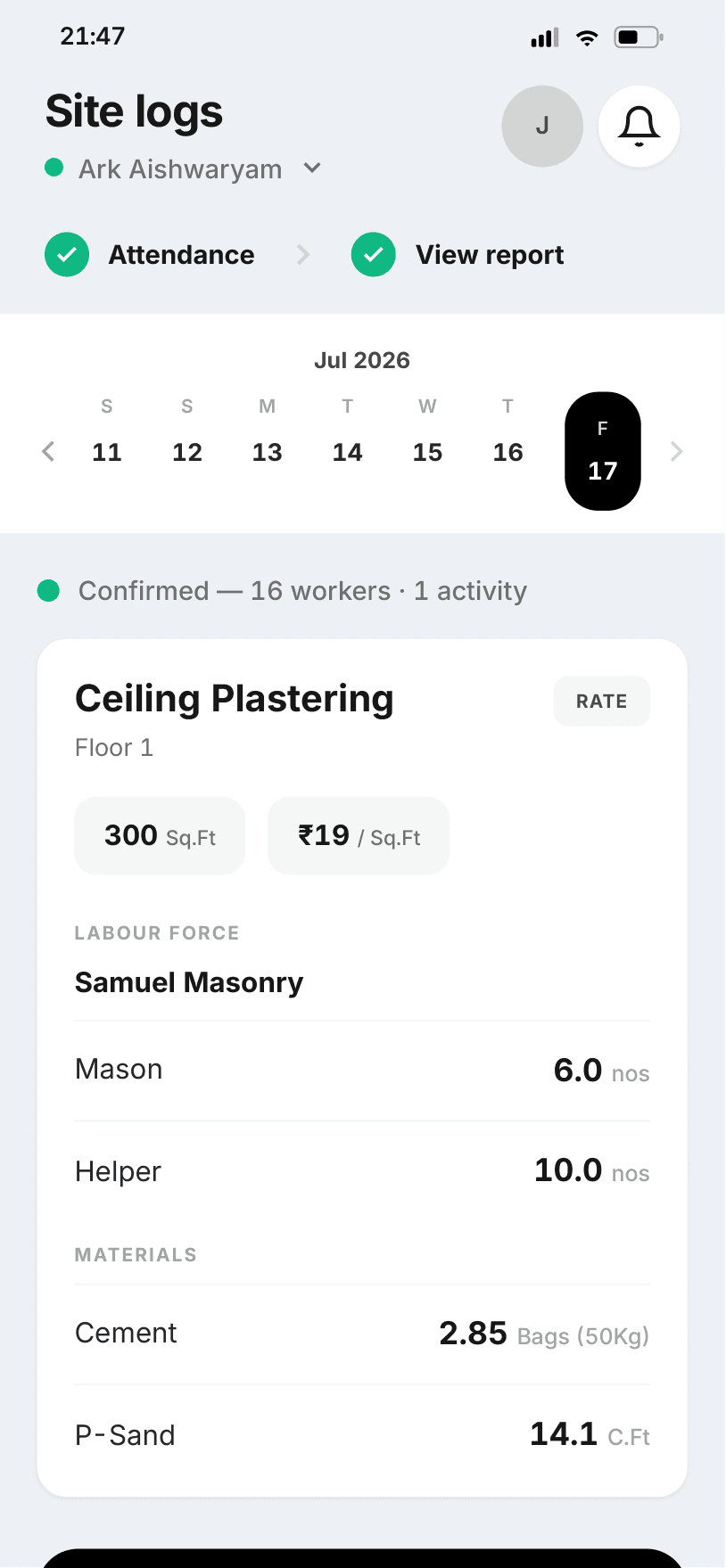
One report links labour, materials, and progress photos
Each day's report ties tasks to labour allocation, material consumption, and site photos. Generate attendance and work-report PDFs in minutes, and lock them once approved.
- Labour force table with shift allocation
- Material consumption logged per work item
- PDF reports, locked after approval
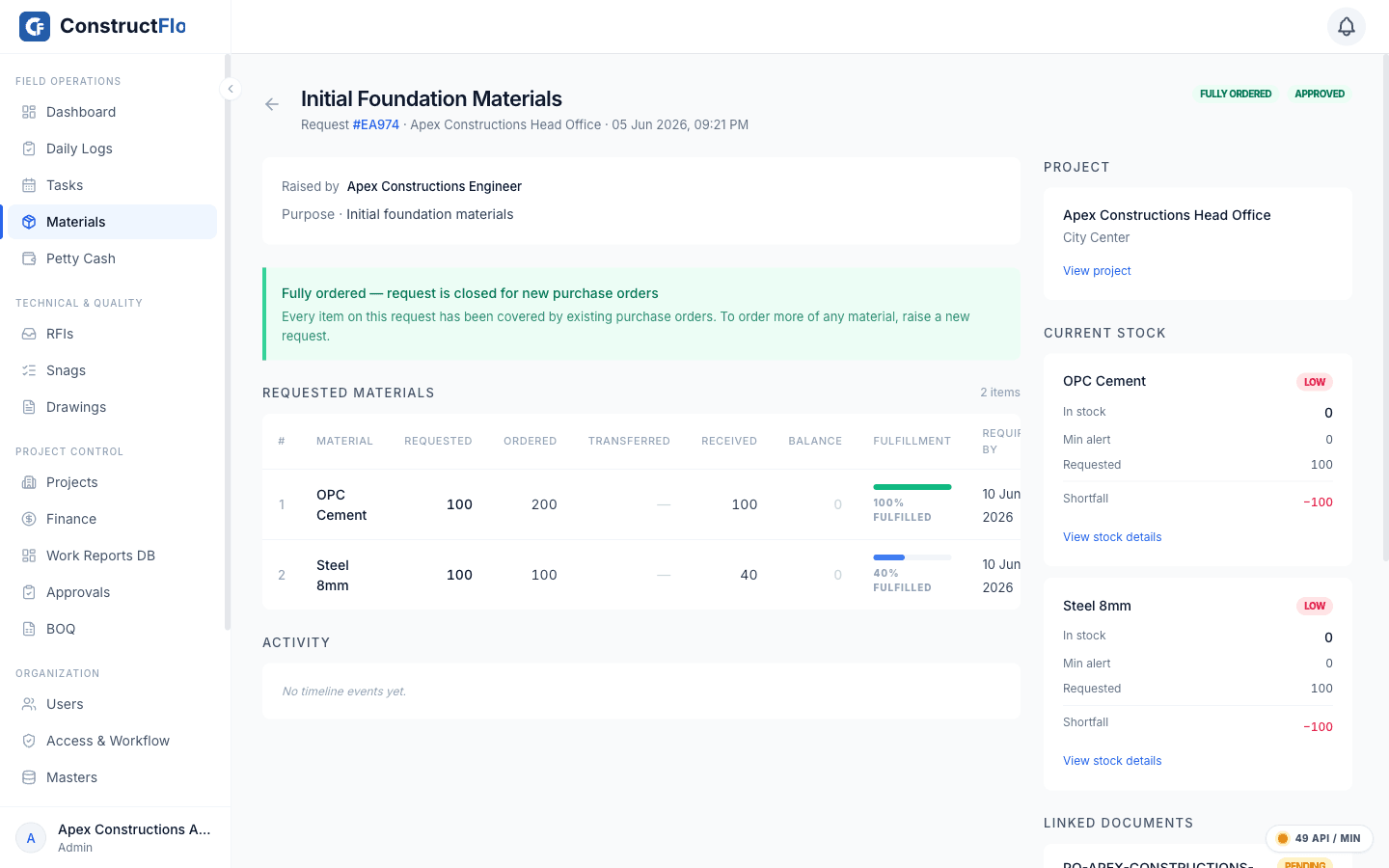
Stop material leakage between request and receipt
Every movement is recorded with the stock balance before and after. Nothing walks off the books.
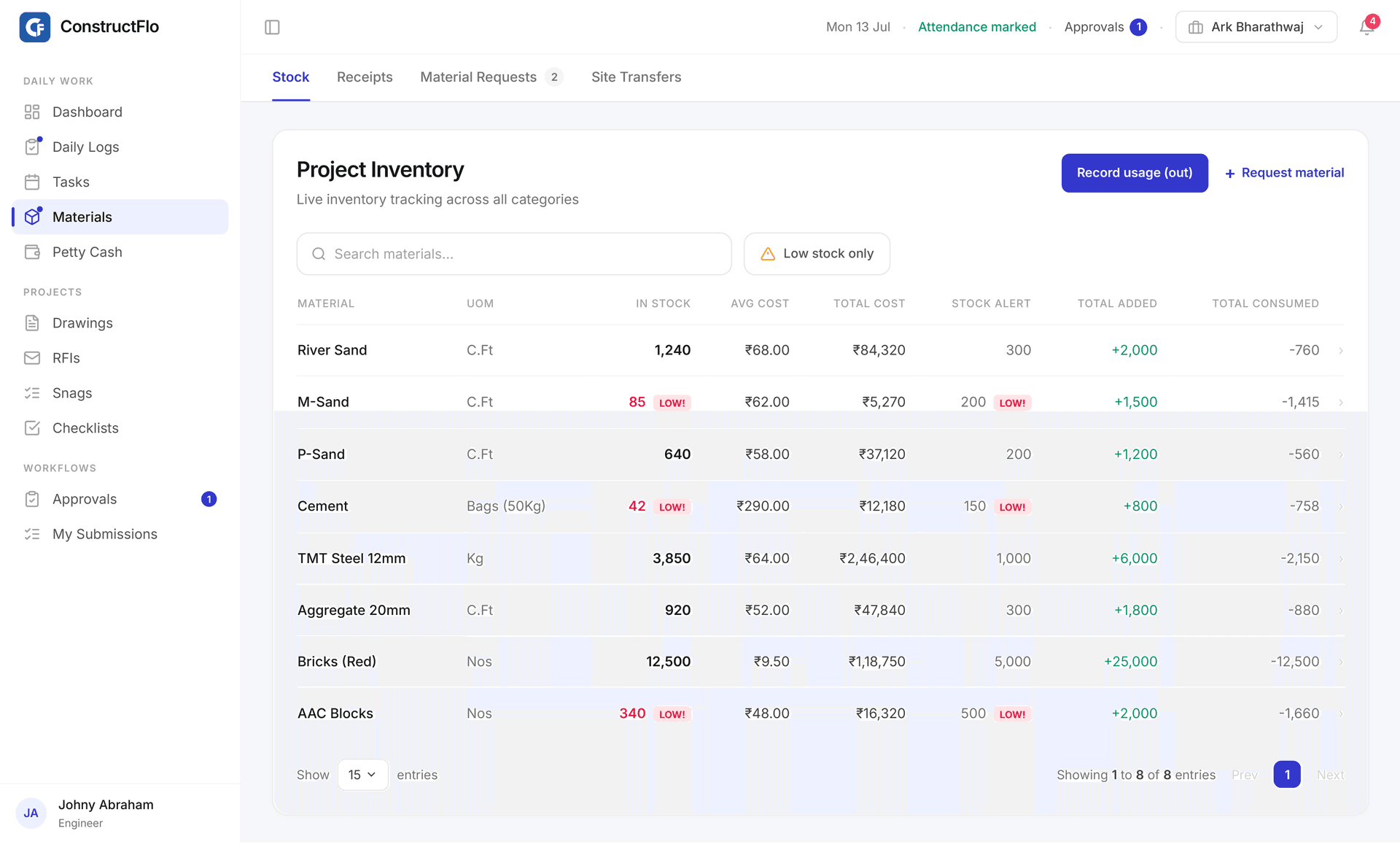
Live stock by project
In Stock, Stock Alert threshold, Total Added, and Total Consumed for every material, with a low-stock filter.
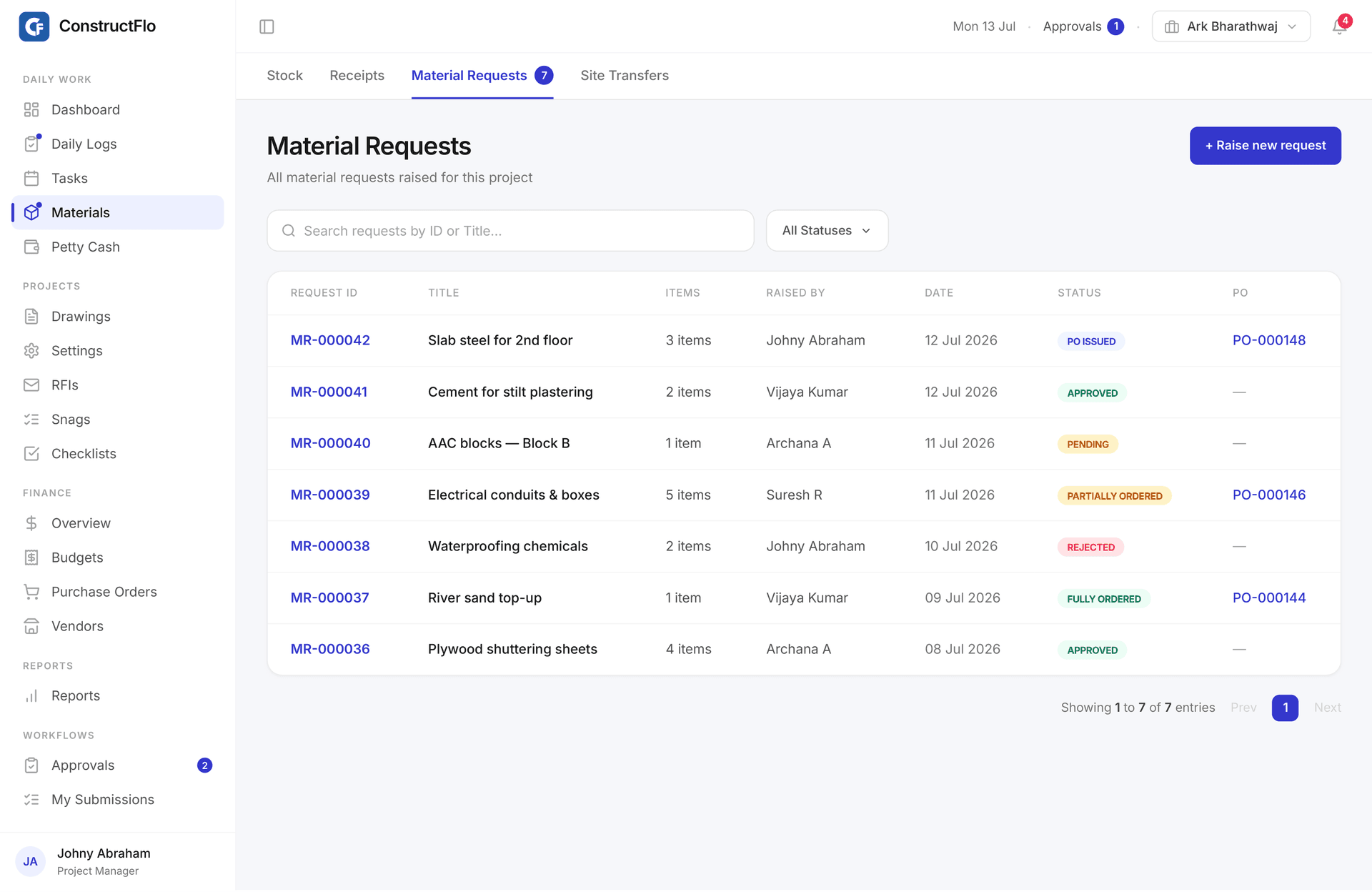
Request to receipt, fully tracked
Material requests carry priority and required-by dates, and clear approval before any PO is raised.
Purchase orders
Vendor, delivery date, line items, and Open, Partial, Closed, or Cancelled status.
GRN your way
Receive against a PO, a site transfer, or standalone, capturing DC bill number and quantity.
Rate history per material
See what each vendor charged across every PO, so you negotiate from record, not memory.
Negotiate from recordApprovals with a paper trail, not a WhatsApp thread
Configure who signs off, at which level, for which project. Then watch requests move through it.
- 01
Configure the hierarchy
Set approval levels by role, scoped to a project or the whole organisation.
- 02
Route requests automatically
Material requests and petty cash replenishment both run the same workflow engine.
- 03
Track every level
Each request shows current level over total, with pending, approved, and rejected states.
- 04
Keep the receipts
Petty cash records received, spent, and balance, with a receipt photo on every expense.
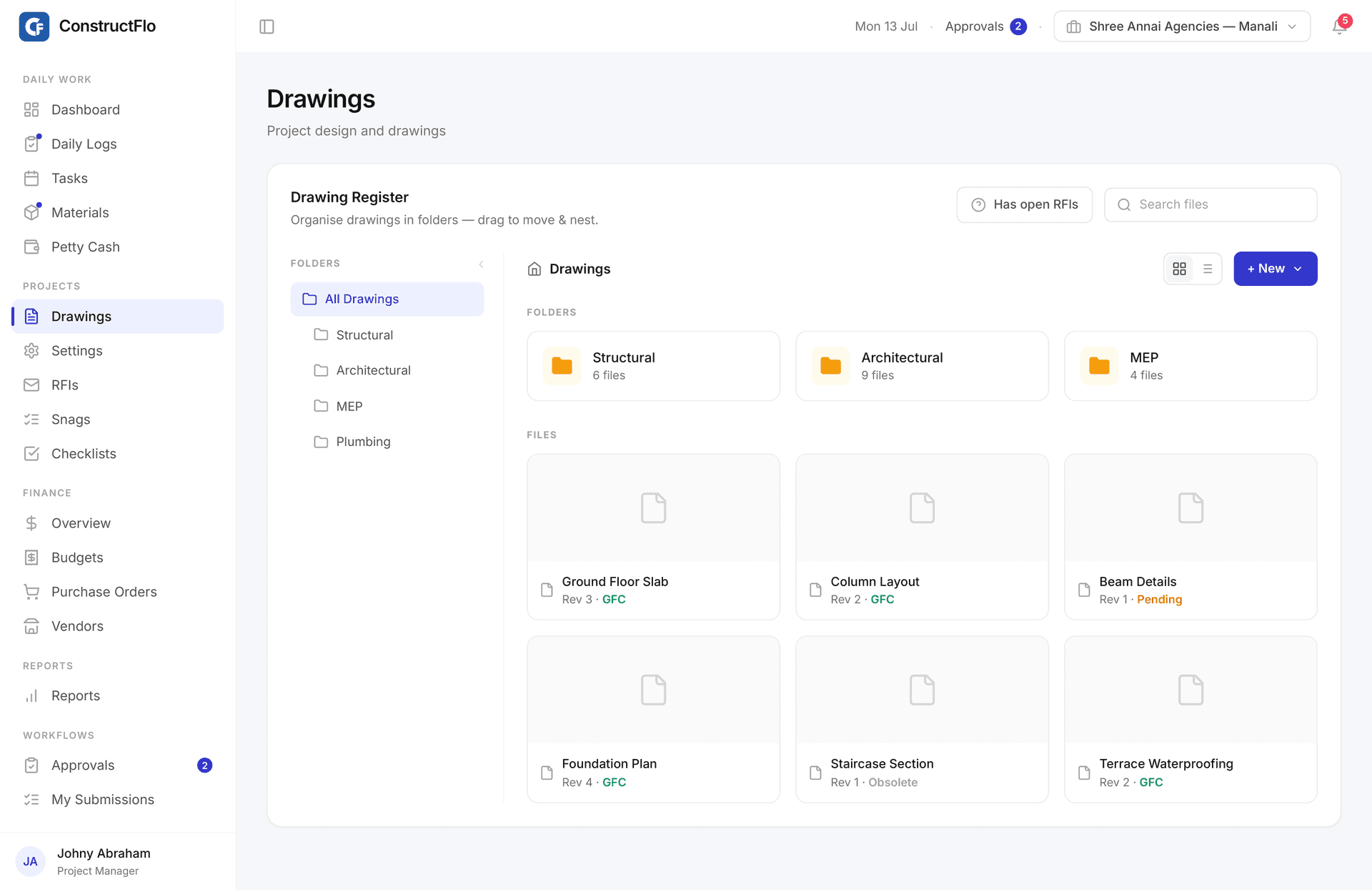
The current drawing is the only drawing
Versioned GFC drawings and RFIs keep the site building from the right revision.
Versioned drawing register
Bulk upload with auto-compression, organized by category, with revision number and upload date.
GFC, Pending, or Obsolete
Every revision carries a clear status so nobody builds from a superseded sheet.
RFIs from the drawing
Raise an RFI in context, with ball-in-court ownership and overdue detection.
Snags become tracked defects
Site inspection checklists turn QA failures into assigned, traceable snags.
Portfolio control for owners who care about margins
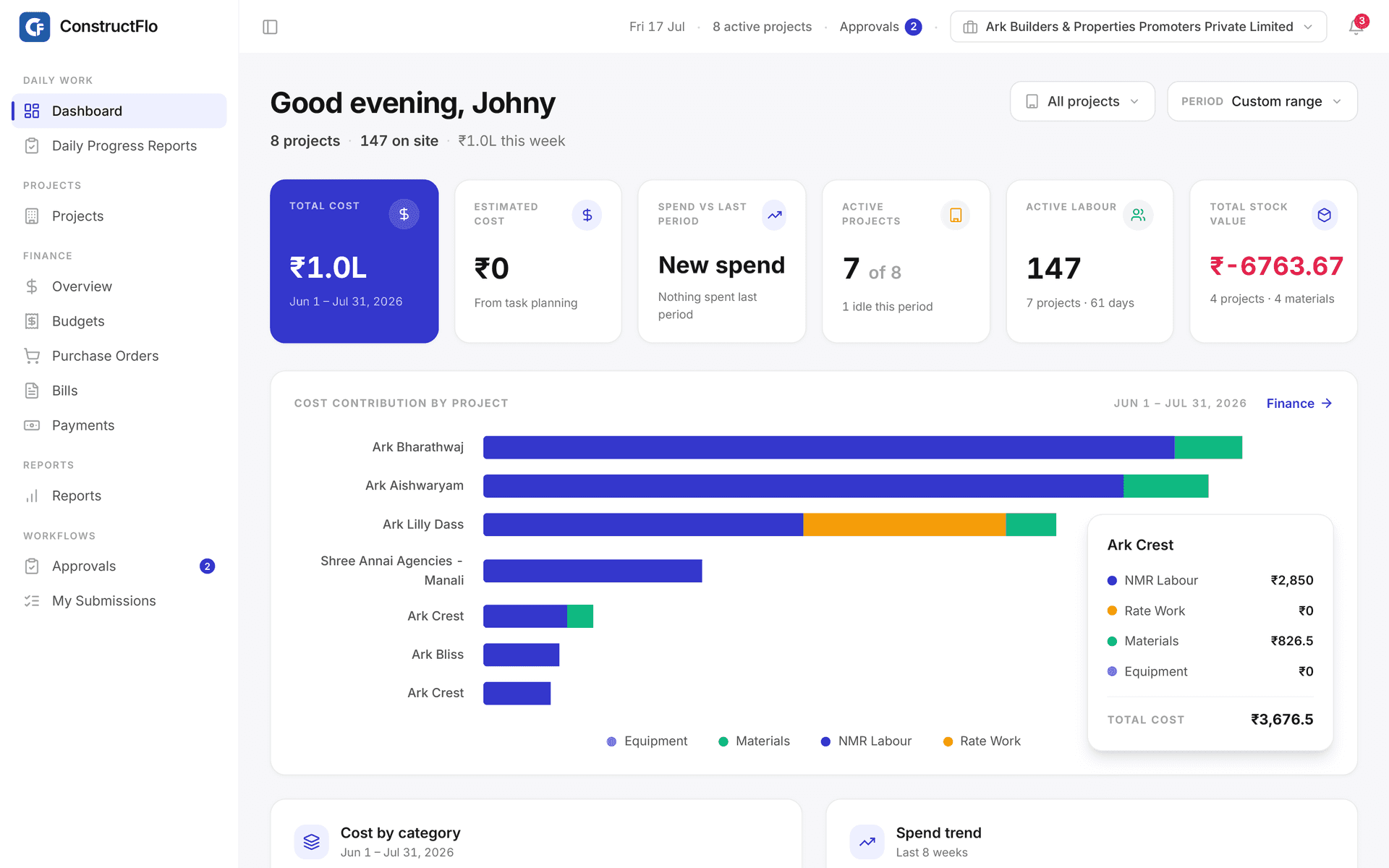
Total cost, labour on site, stock value, and spend trend across every project, over any date range.
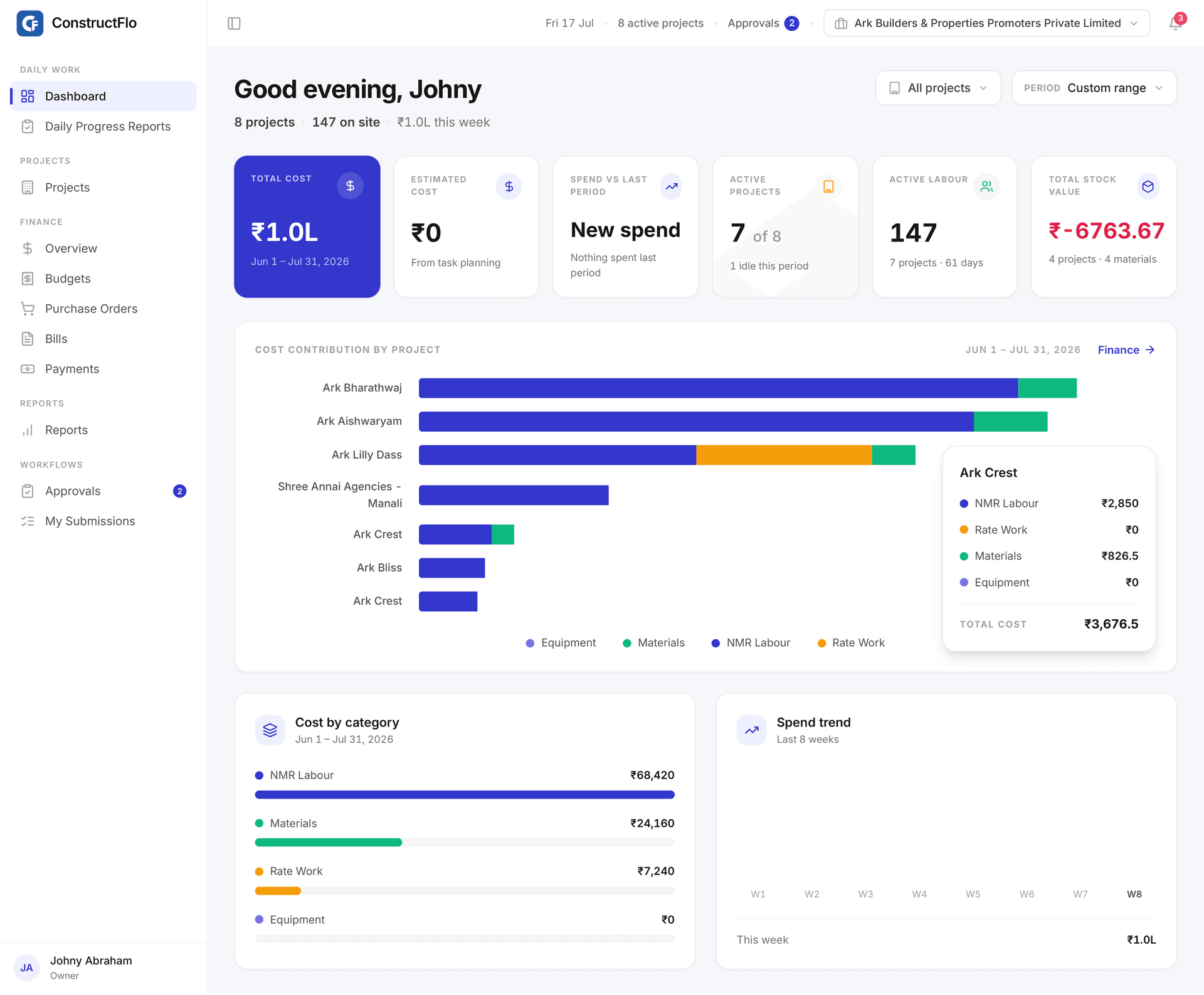
Cost by project
Stacked bars split each project's spend into NMR labour, rate work, materials, and equipment.
Spend vs last period
This period against the last, with an eight-week spend trend and cost by category.
Labour on site
Active labour headcount across projects, and which sites sat idle this period.
Stock value
Org-wide stock value with the projects and materials running low called out.
From the morning muster to the owner's evening review
Follow one day of real work through ConstructFlo. Everyone logs once, everyone sees the same truth.
The engineer marks attendance at the gate
GPS confirms the engineer is on site before the muster opens. Team counts go in by designation and shift, and the day starts with a verified headcount.
The day's work becomes one report
Each activity records quantity, rate, labour force, and material consumption together. No evening phone calls, no re-keying into a register.
The office clears the material request
A request raised from site arrives with priority, required-by date, and live stock context. Approval moves level by level, on the record.
The owner sees the cost of the day
Attendance, work, and materials roll up into cost by project, cost by category, and the spend trend. The day closes with numbers, not guesses.
Common questions
The things builders ask us before they book a demo.
How is ConstructFlo priced?
Flat monthly pricing per organisation, not per seat. Essentials starts at ₹2,999 per month and Professional at ₹7,999 per month, with every engineer, manager, and owner included. See the pricing page for the full comparison.
How long does it take to get started?
Most organisations are running within days. You set up your material library, labour teams, and approval hierarchy once, and we help with the initial configuration during onboarding.
Do site engineers need training to use it?
The field app is built for daily site use: marking attendance, filing the work report, and raising material requests each take a few taps. Engineers are productive on day one.
Does it work on phones?
Yes. Engineers use the mobile app in the field, and the office and owners use the web app on desktop. Both read and write the same data, live.
Is our data kept separate from other companies?
Yes. ConstructFlo is multi-tenant with strict isolation: every record is scoped to your organisation and project, and role-based permissions control who sees what inside your team.
Can approvals match our hierarchy?
Approval levels are configurable by role and can be scoped to a single project or the whole organisation. Material requests and petty cash replenishment run through the same workflow engine.
What else does it cover beyond attendance and materials?
Versioned GFC drawings with RFIs, snag tracking from site inspections, BOQ with consumption variance, petty cash with receipt photos, purchase orders, GRNs, and PDF reports for attendance and daily work.
Put your sites on one operating picture
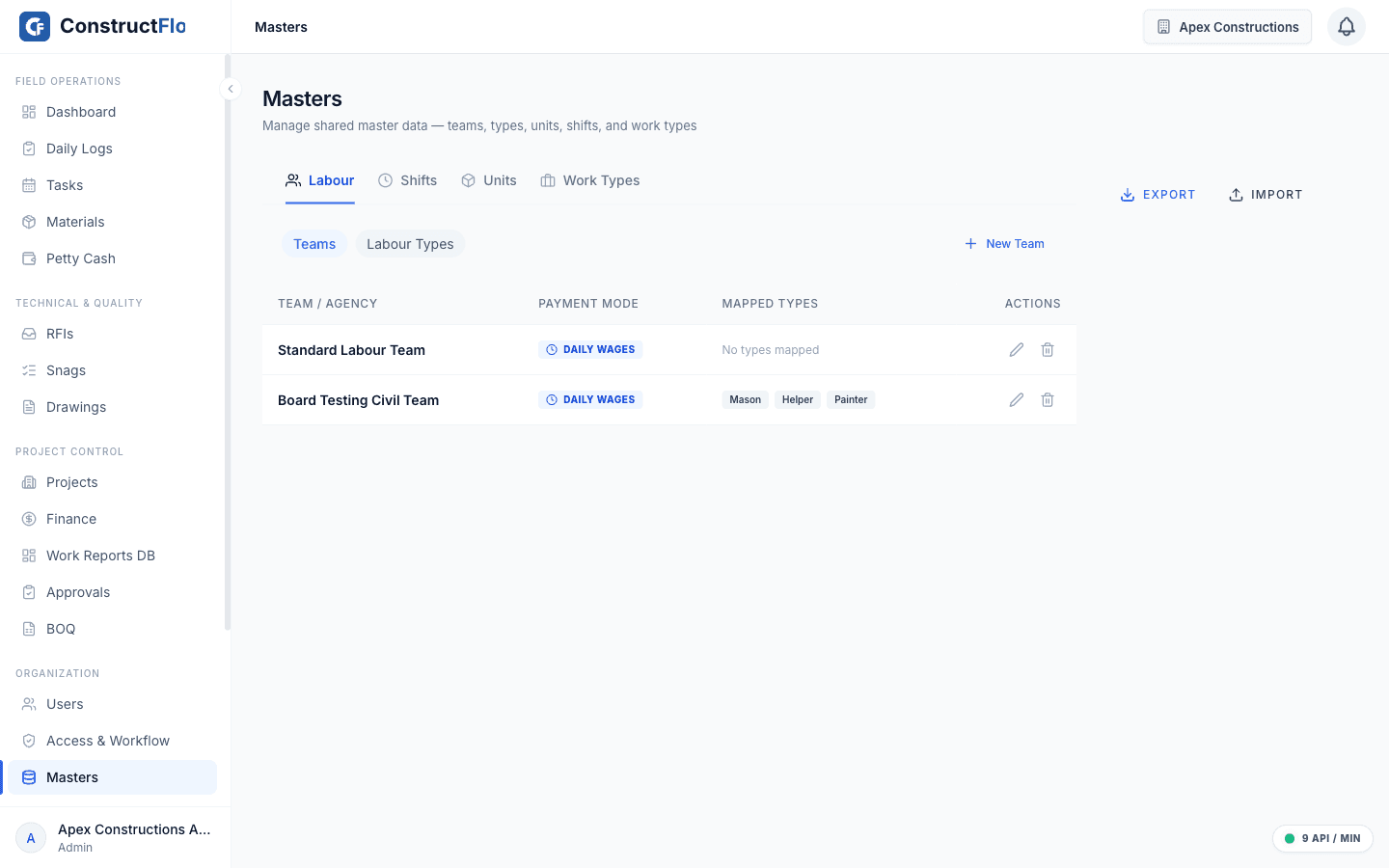
Built for Indian construction workflows: GFC drawings, labour teams, petty cash, and Rupee reporting throughout.
- Multi-tenant and project-scoped, so each org and site stays isolated
- Works on the phone in the field and on desktop in the office
- Set up your material library, labour teams, and approvals in days